Renew Your U.S. Passport Online: Use the Official Website and Avoid Unnecessary Fees
Edited by Bobby Hess | FreePassportSnap.com
Author: FreePassportSnap
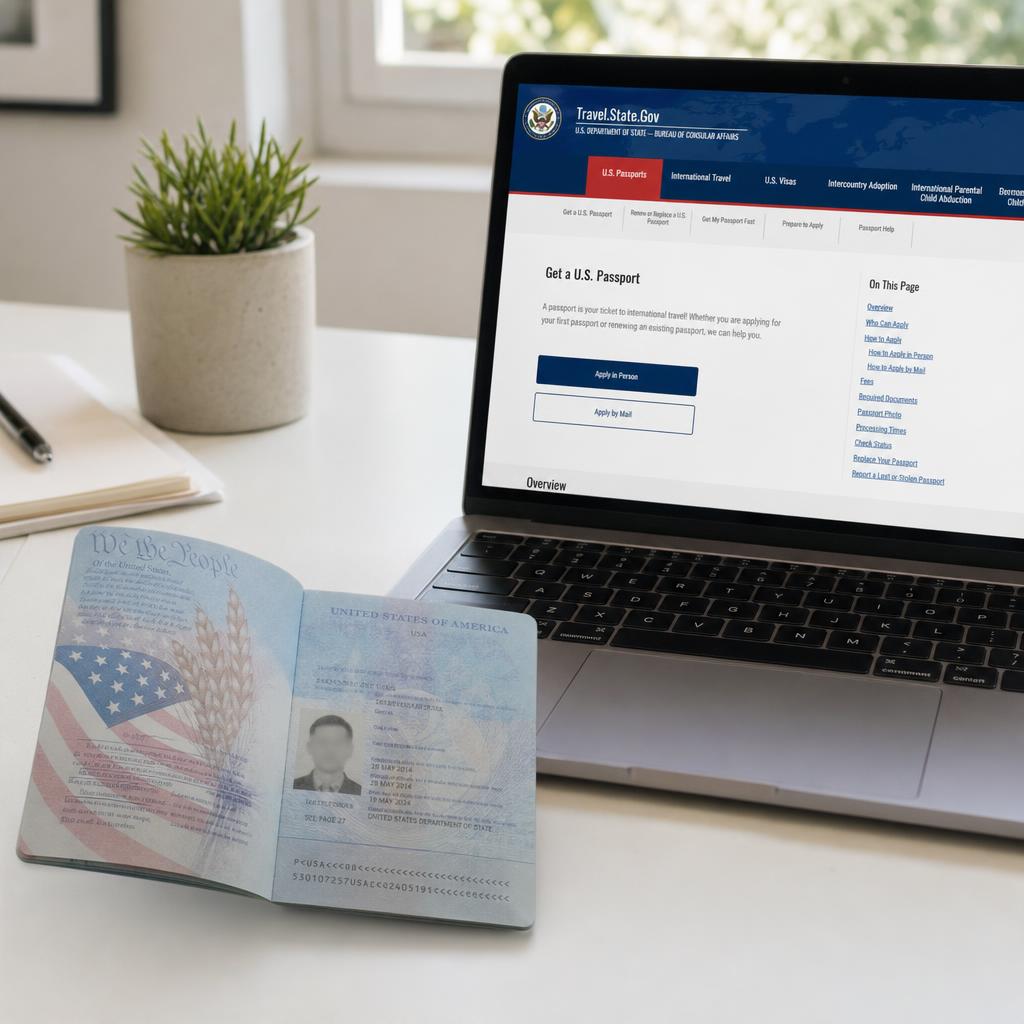
Renewing a U.S. passport can be much easier than many people realize. If you are eligible to renew online, you do not need to pay a private company to fill out and submit your application for you. The U.S. Department of State provides an official online passport renewal system at opr.travel.state.gov.
Before entering your personal information, passport information, or payment details anywhere online, make sure you are using the official U.S. government website.
Official U.S. Online Passport Renewal — only use this link:
opr.travel.state.gov — Official U.S. Passport RenewalWhy Use the Official Passport Renewal Website?
There are many websites that advertise passport renewal services. Some look official, use government-sounding names, or appear prominently in search results — but a website looking official does not make it a government website.
The U.S. Department of State specifically warns travelers about unofficial online passport renewal websites. The Department states that opr.travel.state.gov is the only official, authorized place to renew a U.S. passport online. Private websites may charge additional fees and can put your personal information at risk.
A good rule is simple: when renewing your passport online, go directly to a website ending in .gov. The State Department warns that websites ending in .com, .org, .us, or other domains are private websites — not the official online passport renewal system.
You Don't Need to Pay Someone to Submit Your Renewal
The U.S. Department of State says that no other company or website can legally sign and submit your online passport renewal application for you. A private company may offer to "help" you complete the process, but you may simply be paying for something you can do yourself for free through the government's official website.
The Department of State also warns that it cannot resolve disputes with unauthorized companies or refund money paid to them. That's why it makes sense to start with the government website rather than a search-engine advertisement or a company that happens to have "passport" or "government" in its name.
Who Can Renew a Passport Online?
Online renewal is not available to everyone. According to the U.S. Department of State, you may be eligible if:
- Your passport is or was valid for 10 years.
- Your passport is expiring within one year or expired less than five years ago.
- You are age 25 or older.
- You are not changing certain personal information, such as your name or sex.
- You are not traveling for at least six weeks from the date you submit your application.
- You are physically located in a U.S. state or territory when you submit the application.
- You have the passport with you; it is not damaged or mutilated and has not been reported lost or stolen. Online renewal is offered with routine service; do not choose it if you need expedited processing.
Because eligibility requirements can change, always check the current requirements on the official State Department website before beginning your application.
What Does Passport Renewal Cost?
Using the official government website does not mean the passport itself is free — you still pay the required government fee. The current State Department fee schedule lists adult renewal fees of:
- Passport book: $130
- Passport card: $30
- Passport book and card: $160
- Additional fees may apply for optional services when available.
What you can avoid are the extra "service fees" charged by private websites for doing something the government website lets you do yourself.
A Simple Way to Avoid Passport Renewal Scams
Before entering any information, check these three things:
- 1. Check the website address — for online passport renewal, the official address is opr.travel.state.gov.
- 2. Don't pay a private company just to access the government application — if a website charges a separate service fee, understand exactly what that fee is paying for.
- 3. Go directly to the government website — instead of clicking the first advertisement in a search, bookmark the official State Department website and use it whenever you need passport information.
Don't Assume a Website Is Official Because It Has "Gov" in Its Name
The Department of State warns that even if a company has "Gov" in its name, that does not mean it is authorized to accept or process online passport renewal applications. What matters is the website address — not the company name. When in doubt, type the official address directly into your browser rather than clicking an advertisement.
What About Passport Expeditors?
There are legitimate private passport courier and expeditor companies, but they are different from the official online renewal system. The State Department explains that courier companies are private businesses and charge additional fees. Using one does not automatically mean your passport will be processed faster.
If you have urgent international travel, your situation may be different — the State Department provides separate information for urgent passport services. For a normal online renewal, start with the official government website.
What You'll Need for Online Renewal
The online renewal process will ask for your full legal name, date of birth, address, current passport information, and a passport photo. The State Department warns that unofficial passport websites can put this personal information at risk — which is another reason to minimize the number of companies receiving your data.
The Bottom Line
Renewing a U.S. passport shouldn't require navigating a maze of websites. If you qualify for online renewal, the U.S. Department of State has an official system specifically for this purpose: opr.travel.state.gov.
Remember: for online passport renewal, the U.S. Department of State says the official authorized website is opr.travel.state.gov. Avoid unnecessary middleman fees, be careful about who receives your personal information, and verify the website before entering anything sensitive.
Need a passport photo for your renewal? Online renewal uses a digital photograph, not a printed 2×2-inch layout. Follow the official digital-upload instructions and keep the original unaltered photograph. This site’s background-removal output is not evidence of U.S. passport acceptability.
Create Your Free Passport Photo →Previous
Prague Travel Guide 2026–2027: Best Things to Do, Passport Requirements, Travel Costs & Tourist Scams
Next
Schengen Area Travel Rules for Americans in 2027: Passport Requirements, 90/180-Day Rule, EES, ETIAS & Scams
You Might Also Like

16 and 17 Year Old Passport Renewal: How to Apply and Why the Rules Are Different
Turning 16 doesn't automatically mean you can renew your passport the normal way. The key is when your current passport was issued — here's exactly what to do.

Can You Travel While Your Passport Renewal Is Processing?
Can you travel internationally after submitting a U.S. passport renewal? Learn whether your old passport remains usable.
Can You Use Your Old Passport After Applying for a New One?
Applied for a new passport? Learn whether your old U.S. passport can still be used for international travel or visas.