Free Passport Snap
AI POWERED•FAST•SECURE

Free Online AI Passport Photo Maker
Passport & Visa Photo Editor for 195 Countries⚡

Prepare passport and visa photo layouts online for free. Upload your JPG, PNG or HEIC picture to explore cropping, sizing and background tools. Edited output is not proof of government compliance: U.S. passport submissions require an original, unaltered photograph. Download digital files and print-ready layouts with no watermark or registration. Your pictures are processed in your browser.

100% Free
No Watermark
Privacy Protected
Instant Download
👶
Taking a baby's passport photo?
→

Drag & drop your photo here

JPG, PNG, HEIC • Max size 12MB

195
Country Standards
0
Photos Stored
12MB
Max Upload Size

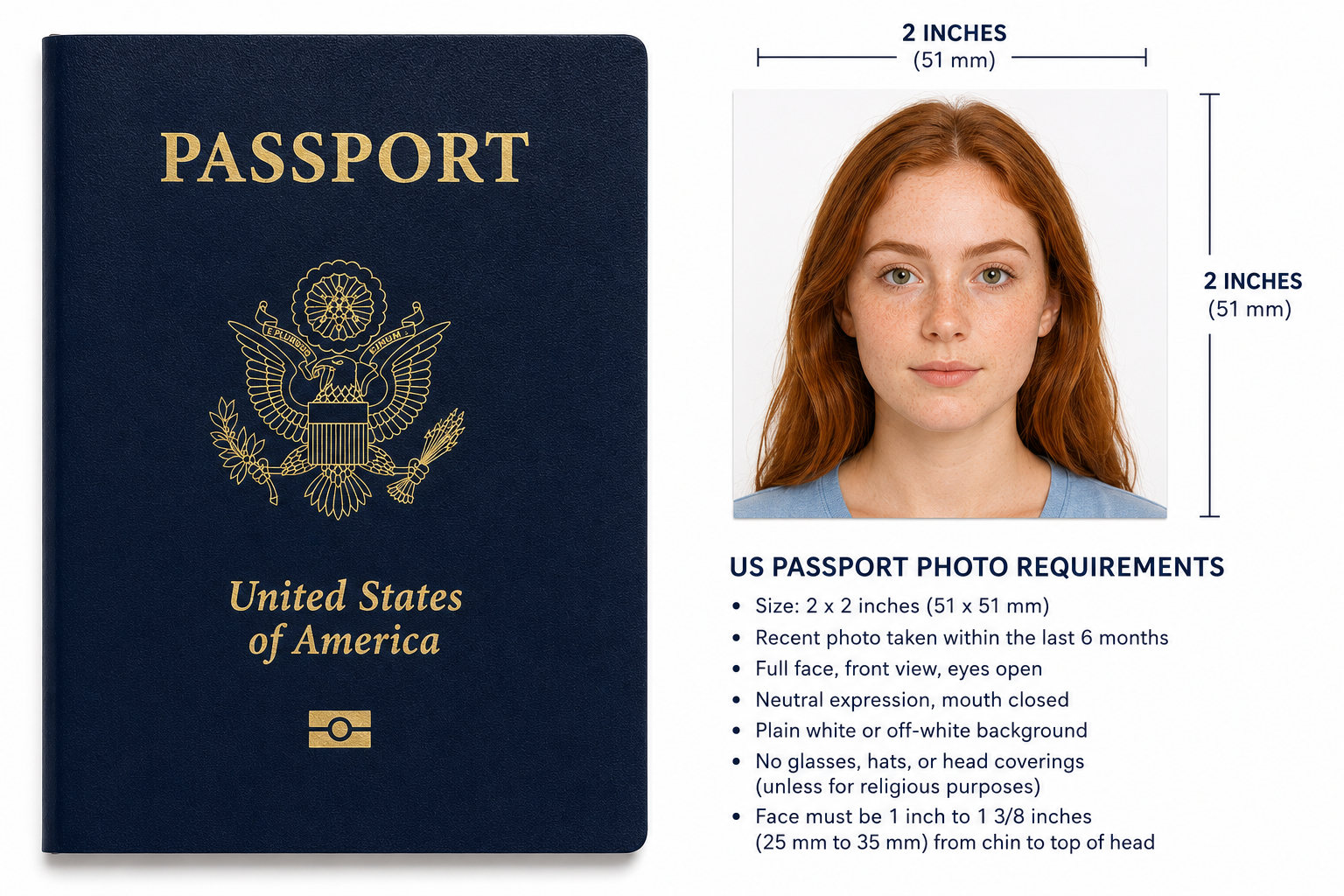
Guidelines illustration only—not an officially accepted photograph. Check the issuing authority’s current photo examples.
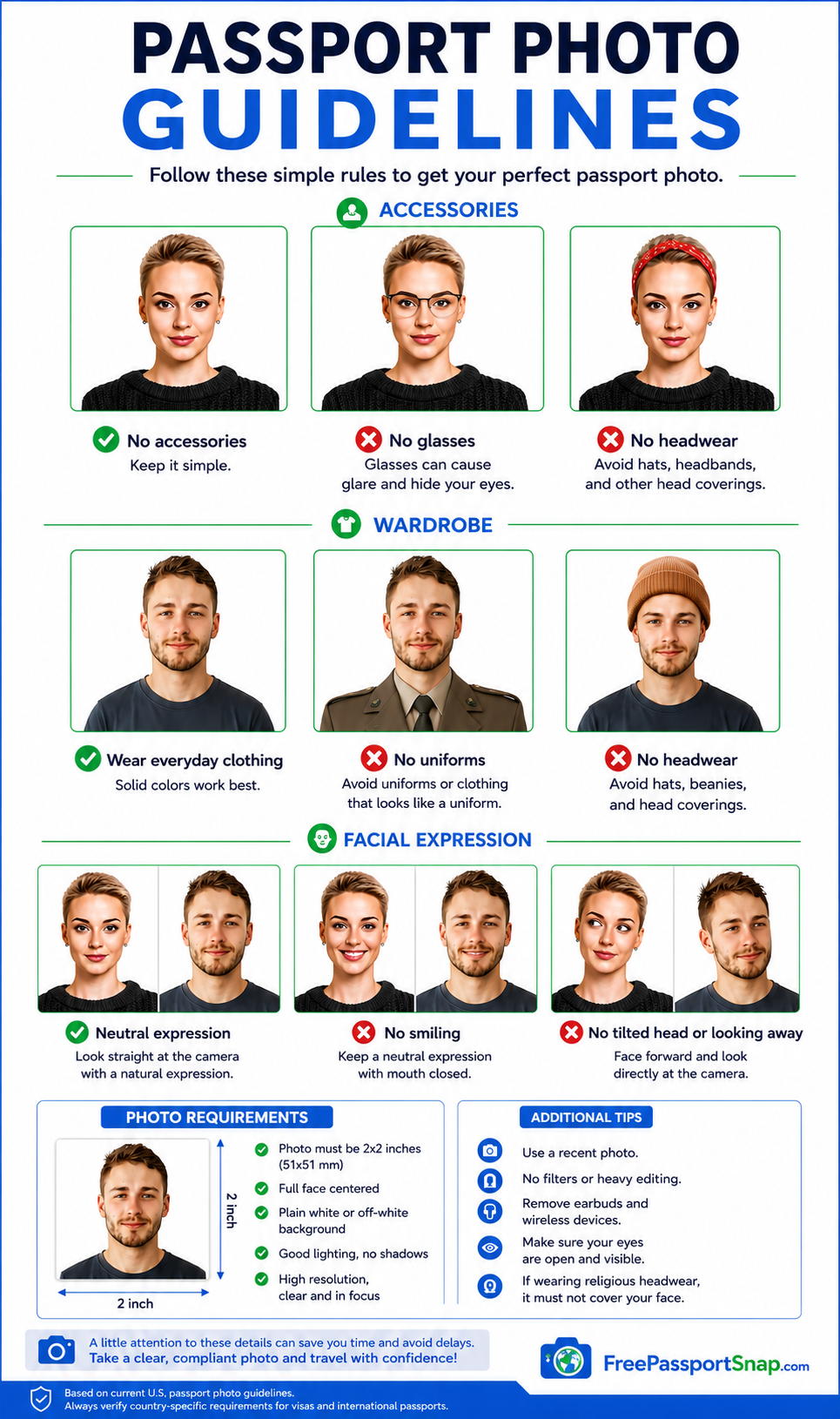
Passport Photo Guidelines

Find a Passport Acceptance Facility Near You

First-time applicants and child passport renewals must be submitted in person. Use the official State Department locator to find a post office, library, or courthouse near you.

100% Free
No Watermark
Private Processing
Secure
Instant Download
No Registration
Print Ready
300 DPI Quality
100% Free
No Watermark
Private Processing
Secure
Instant Download
No Registration
Print Ready
300 DPI Quality
100% Free
No Watermark
Private Processing
Secure
Instant Download
No Registration
Print Ready
300 DPI Quality

Studio Quality. Zero Cost.

Everything you need to create a compliant passport photo in seconds.

AI Face Detection

Precisely locates your face and aligns it perfectly every time.

Background Removal

One-click clean white background that passes official checks.

Perfect Cropping

Auto-sized to precise country specifications.

Gov't Compliant

Meets official US State Dept & USPS passport photo requirements.

Print Ready

300 DPI, correct dimensions, instant 4x6 print sheets.

High Resolution

Crystal-clear output files without compression artifacts.

Private Processing

Processed in your browser only. Never saved.

Unlimited Downloads

Download JPG, PNG, and PDF sheets — all completely free.

Advertisement

2×2in
US Passport Standard
300
DPI Print Quality
$0
Cost to Download

Your Privacy is Our Priority

We take your privacy seriously. Your photo is processed entirely in your browser and is never uploaded to our servers. We don't store, sell, or share your data.

Local Processing
Secure Encryption
Deleted Instantly
No Tracking

Frequently Asked Questions

Yes, always free. There are no hidden fees, no paywalls at the end, no watermark on your downloaded photo, and absolutely no registration required.
No. All image processing happens entirely in your web browser using advanced WebAssembly technologies. Your photo never leaves your device.
The download controls offer JPG, PNG, Print 2× and Print 4×. The grouped layouts are not fixed 4×6-inch paper templates. For a U.S. print, place a single image at exactly 2×2 inches in suitable print-layout software or ask a photo service for that physical size. Print one test and measure it with a ruler. Retailer prices and settings vary; printing does not establish government acceptance.
Yes, fully optimized for iPhone, Android, and tablets. You can take a photo directly with your phone's camera and process it instantly.
The tool offers country size presets, but a preset is not proof of compliance. U.S. printed photos are 2×2 inches; Canadian printed passport photos are 50×70 mm and require a commercial photographer and other application-specific conditions. Check the issuing authority's full current instructions, including editing restrictions, photographer requirements and digital submission rules.
No. The U.S. Department of State requires an original, unaltered photo and warns against changing the background with digital tools. Retake the photograph against a real plain white or off-white background instead. Background removal is a tool feature, not evidence that an edited photo is acceptable for an official application.
We accept JPG, PNG, JPEG, and HEIC (standard iPhone format). The maximum file size is 12MB to ensure smooth local processing.

Advertisement

Real Reviews from Real Users

What People Are Saying

Real feedback from people who have used the tool. Add yours below.

Loading reviews…
Write a Review

Advertisement

Get in Touch

Contact Us

Have a question, feedback, or need help? We'd love to hear from you.

Email
Qr3logic@gmail.com
Response Time
Within 24 hours